In this exercise, I focused on only one Azure resource: Azure PostgreSQL Flexible Server. My goal was simple: run PostgreSQL locally,
connect a console client project to it through .NET Aspire, and validate that the client can open a database connection end-to-end.
How it looks like
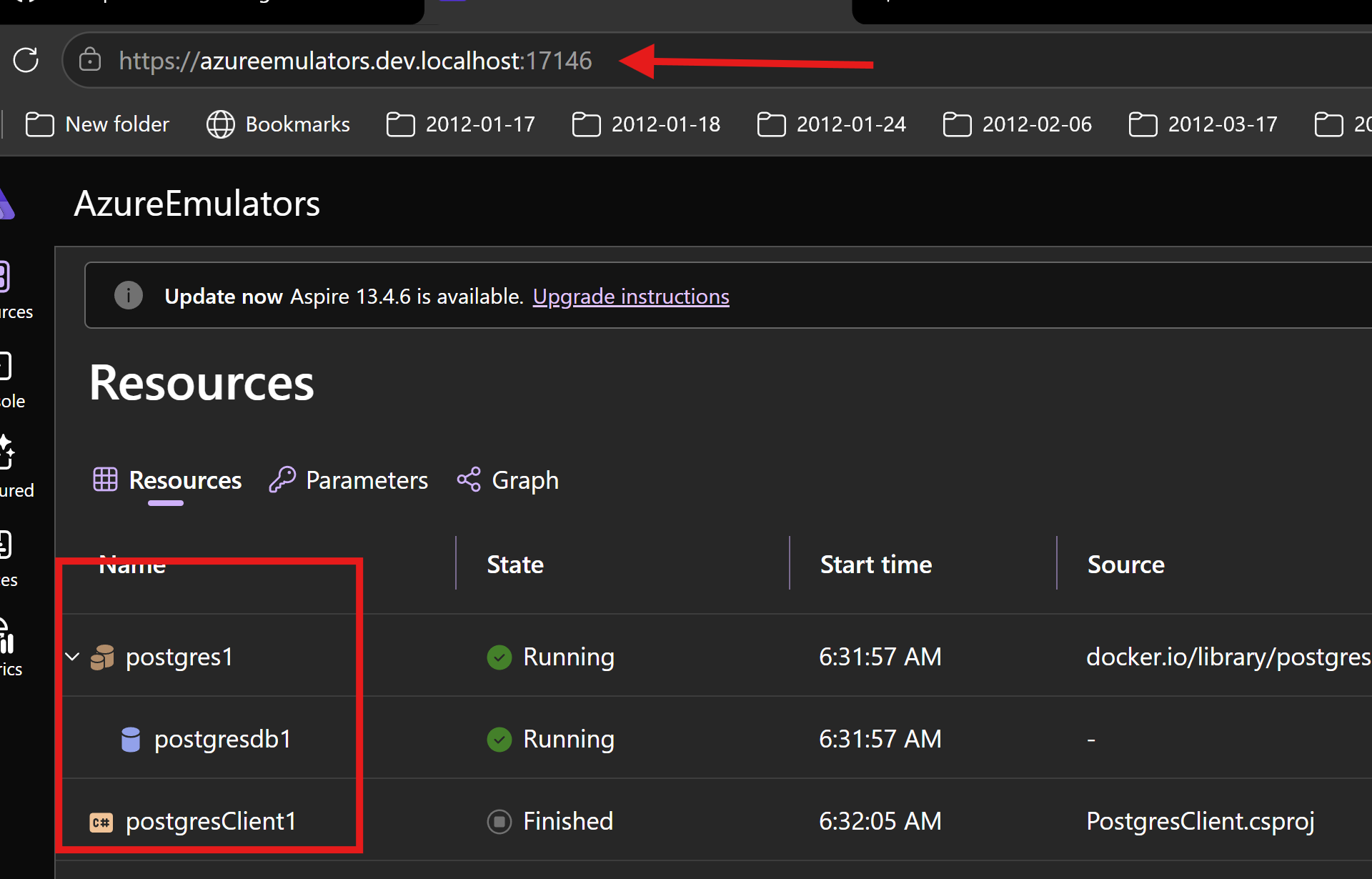
This is the PostgreSQL container / database view
How I wired Azure PostgreSQL in Aspire AppHost
In AzureEmulators/AppHost.cs, I added Azure PostgreSQL Flexible Server as a container and then defined one database.
Then I connected the PostgreSQL client project to that database with WithReference(postgresdb) and WaitFor(postgresdb).
- PostgreSQL Flexible Server resource:
postgres1 - Database:
postgresdb1 - Client project reference:
postgresClient1
var postgres = builder.AddAzurePostgresFlexibleServer("postgres1")
        .RunAsContainer()
        ;

var postgresdb = postgres.AddDatabase("postgresdb1");

var postgresProj = builder
    .AddProject<Projects.PostgresClient>("postgresClient1")
    .WithReference(postgresdb)
    .WaitFor(postgresdb)
    ;
What my PostgresClient project does
In PostgresClient/Program.cs, I implemented a simple startup flow to validate PostgreSQL connectivity.
- I scan environment variables and pick the PostgreSQL connection string.
- I fail fast if the connection string is missing.
- I create an
NpgsqlConnectionusing that connection string (Npgsql is the .NET driver for PostgreSQL). - I call
OpenAsync()to confirm I can connect to the database.
Code from my console client project
using Npgsql;
using System.Collections;

Console.WriteLine("Hello, Postgres!");

string connectionStringPostgres = "";
foreach (var item in Environment.GetEnvironmentVariables().Cast<DictionaryEntry>())
{
    if (item.Key?.ToString()?.Contains("postgres") == true)
    {
        //Console.WriteLine($"{item.Key}: {item.Value}");
        connectionStringPostgres = item.Value?.ToString() ?? string.Empty;
    }
}
if (string.IsNullOrWhiteSpace(connectionStringPostgres))
{
    Console.WriteLine("Postgres  connection string is not set in environment variables.");
    return;
}
Console.WriteLine($"Connection string for Postgres: {connectionStringPostgres}");
await using var conn = new NpgsqlConnection(connectionStringPostgres);
await conn.OpenAsync();
Console.WriteLine($"Success opening the database");
Output logs from my client project
Waiting for resource 'postgres1' to enter the 'Running' state.
Waiting for resource 'postgresdb1' to enter the 'Running' state.
Waiting for resource 'postgresdb1' to become healthy.
Waiting for resource 'postgres1' to become healthy.
Waiting for resource ready to execute for 'postgres1'.
Finished waiting for resource 'postgres1'.
Waiting for resource ready to execute for 'postgresdb1'.
Finished waiting for resource 'postgresdb1'.
Hello, Postgres!
Connection string for Postgres: Host=localhost;Port=51116;Username=postgres;Password=K1K*zHE4mrKSX{{rgg2tNT;Database=postgresdb1
Success opening the database
What is achieved
- I can run Azure PostgreSQL Flexible Server on my local PC without provisioning a cloud PostgreSQL resource.
- I get dependency wiring from Aspire between AppHost and PostgresClient.
- I proved connectivity by opening the PostgreSQL connection successfully from the client project using Npgsql.