In this exercise, I focused on only one Azure resource: Azure Storage Queues. My goal was simple: run Queue Storage locally with the emulator,
connect a console client project to it through .NET Aspire, and validate that the client can enqueue and dequeue a message end-to-end.
AzureQueues
How it looks like
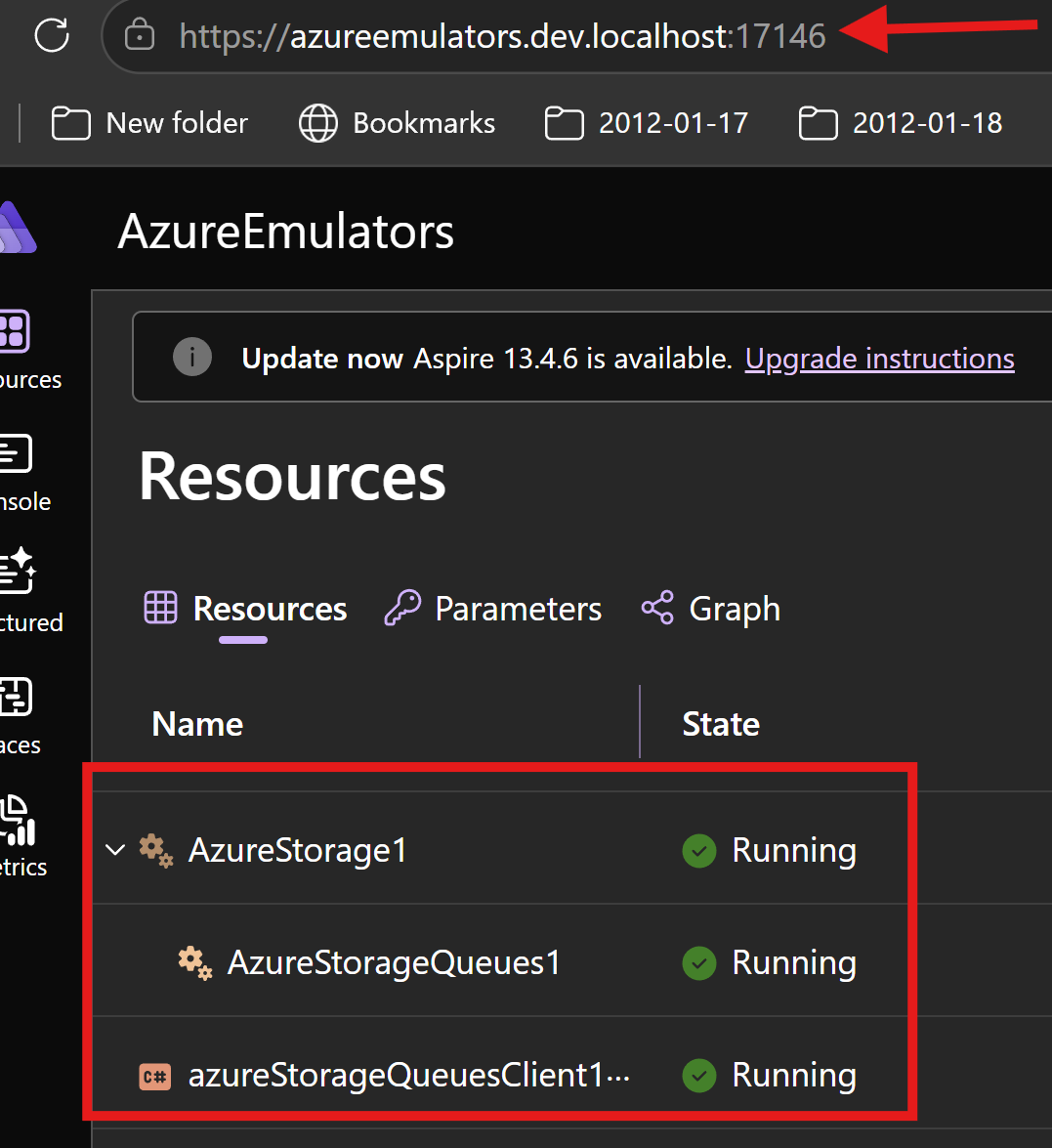
This is the ASPIRE project
How I wired Azure Storage Queues in Aspire AppHost
In AzureEmulators/AppHost.cs, I added Azure Storage as an emulator and then enabled the Queues endpoint.
Then I connected the client project with WithReference(azureStorageQueues) and WaitFor(azureStorageQueues).
- Azure Storage emulator resource:
AzureStorage1 - Queues resource:
AzureStorageQueues1 - Client project reference:
azureStorageQueuesClient1
var azureStorageQueues = builder.AddAzureStorage("AzureStorage1")
          .RunAsEmulator()
         .AddQueues("AzureStorageQueues1")
         ;

var azureStorageQueuesProj = builder
    .AddProject<Projects.AzureStorageQueuesClient>("azureStorageQueuesClient1")
    .WithReference(azureStorageQueues)
    .WaitFor(azureStorageQueues)
    ;
What my AzureStorageQueuesClient project does
In AzureStorageQueuesClient/Program.cs, I implemented a startup flow to validate Queue Storage connectivity and basic message operations.
- I scan environment variables and pick
AzureStorageQueues1_CONNECTIONSTRING. - I fail fast if the connection string is missing.
- I create a
QueueClientfor queueandreiq. - I create the queue if needed and send one message:
Hello Andrei Ignat !. - I receive one message from the queue.
- I delete the received message and print it to confirm the round trip.
Code from my console client project
using Azure.Storage.Queues;
using Azure.Storage.Queues.Models;
using System.Collections;

Console.WriteLine("Hello, Azure Storage Queues!");
string connectionStringAzureStorage = "";
foreach (var item in Environment.GetEnvironmentVariables().Cast<DictionaryEntry>())
{
    if (item.Key?.ToString()?.Contains("AzureStorageQueues1_CONNECTIONSTRING", StringComparison.InvariantCultureIgnoreCase) == true)
    {
        Console.WriteLine($"{item.Key}: {item.Value}");
        connectionStringAzureStorage = item.Value?.ToString() ?? string.Empty;
    }
}
if (string.IsNullOrEmpty(connectionStringAzureStorage)){
    Console.WriteLine("no connection string for Azure Storage Queues found in environment variables.");
    return;
}
QueueClient queue = new(connectionStringAzureStorage, "andreiq");
string valueToInsert = "Hello Andrei Ignat !";
await InsertMessageAsync(queue, valueToInsert);
var message= await RetrieveNextMessageAsync(queue);
Console.WriteLine("the message  is: "+message);
static async Task InsertMessageAsync(QueueClient theQueue, string newMessage)
{
    if (null != await theQueue.CreateIfNotExistsAsync())
    {
        Console.WriteLine($"The queue {theQueue.Name} was created.");
    }

    await theQueue.SendMessageAsync(newMessage);
}

static async Task<string?> RetrieveNextMessageAsync(QueueClient theQueue)
{
    if (await theQueue.ExistsAsync())
    {
        QueueProperties properties = await theQueue.GetPropertiesAsync();

        if (properties.ApproximateMessagesCount > 0)
        {
            QueueMessage[] retrievedMessage = await theQueue.ReceiveMessagesAsync(1);
            string theMessage = retrievedMessage[0].Body.ToString();
            await theQueue.DeleteMessageAsync(retrievedMessage[0].MessageId, retrievedMessage[0].PopReceipt);
            return theMessage;
        }

        return null;
    }

    return null;
}
Output logs from my client project
Waiting for resource 'AzureStorage1' to enter the 'Running' state.
Waiting for resource 'AzureStorageQueues1' to enter the 'Running' state.
Waiting for resource 'AzureStorage1' to become healthy.
Waiting for resource 'AzureStorageQueues1' to become healthy.
Waiting for resource ready to execute for 'AzureStorage1'.
Finished waiting for resource 'AzureStorage1'.
Waiting for resource ready to execute for 'AzureStorageQueues1'.
Finished waiting for resource 'AzureStorageQueues1'.
[sys] Starting process...: Cmd = C:\Program Files\dotnet\dotnet.exe, Args = ["watch", "--non-interactive", "--no-hot-reload", "--project", "D:\\eu\\GitHub\\aspireExtensions\\src\\samples\\13.4\\AzureEmulators\\AzureStorageQueuesClient\\AzureStorageQueuesClient.csproj", "--configuration", "Debug", "--no-launch-profile"]
 dotnet watch ⌚ Waiting for changes
Hello, Azure Storage Queues!
AZURESTORAGEQUEUES1_CONNECTIONSTRING: DefaultEndpointsProtocol=http;AccountName=devstoreaccount1;AccountKey=Eby8vdM02xNOcqFlqUwJPLlmEtlCDXJ1OUzFT50uSRZ6IFsuFq2UVErCz4I6tq/K1SZFPTOtr/KBHBeksoGMGw==;QueueEndpoint=http://127.0.0.1:63541/devstoreaccount1;
The queue andreiq was created.
the message  is: Hello Andrei Ignat !
 dotnet watch ⌚ Exited
 dotnet watch ⏳ Waiting for a file to change before restarting ...
What is achieved
- I can run Azure Storage Queues locally without provisioning a cloud storage account.
- I get dependency wiring from Aspire between AppHost and AzureStorageQueuesClient.
- I proved queue operations by creating a queue, sending a message, receiving it.
- I can validate message-driven patterns locally before deploying to Azure.