In this exercise, I focused on only one Azure resource: Azure Storage (Blob Storage). My goal was simple: run Blob Storage locally using the emulator,
connect a console client project to it through .NET Aspire, and validate that the client can create a blob container end-to-end.
How it looks like
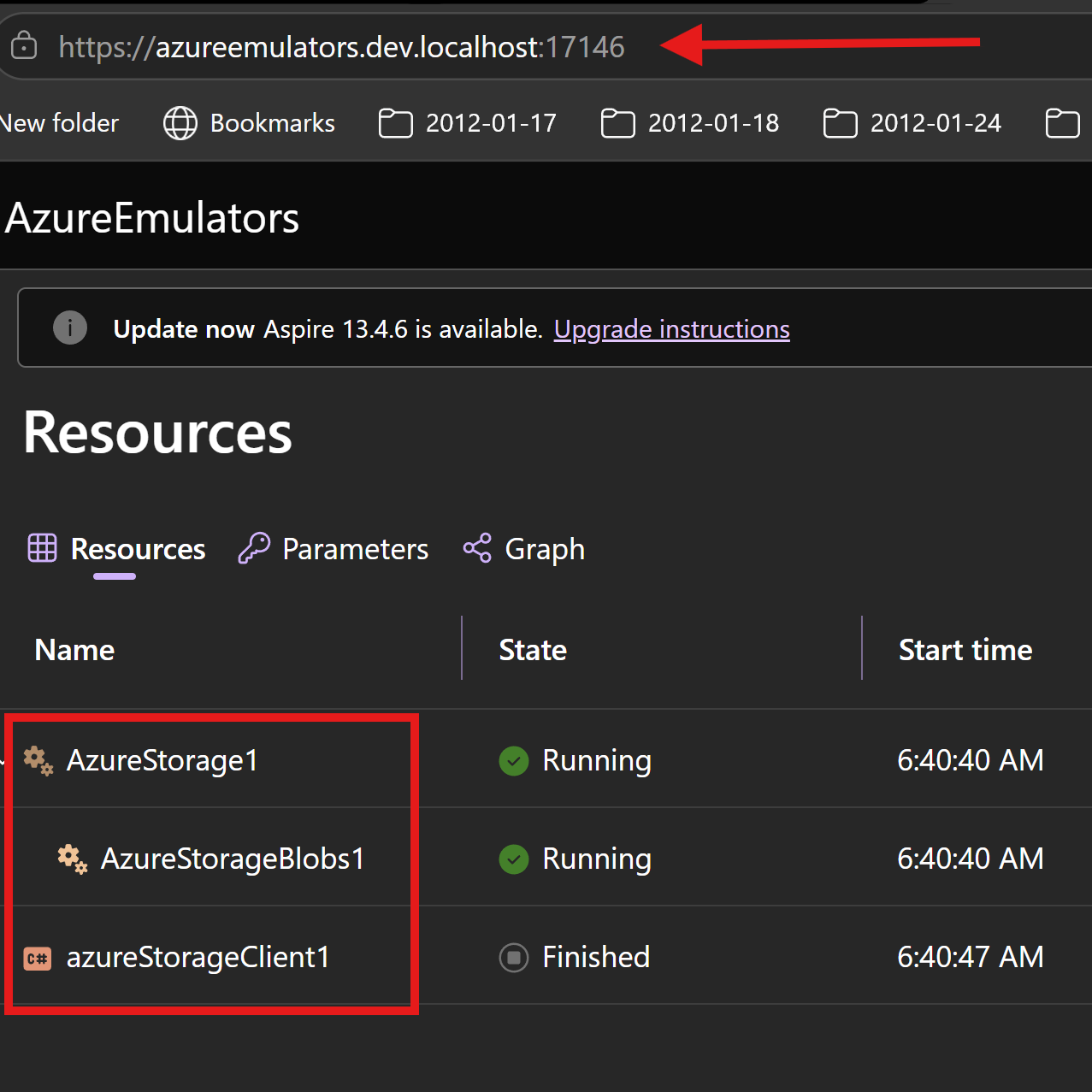
This is the Azure Storage emulator container view
How I wired Azure Storage in Aspire AppHost
In AzureEmulators/AppHost.cs, I added Azure Storage as an emulator (using Azurite) and then added a blob container.
Then I connected the storage client project to that storage resource with WithReference(azureStorage) and WaitFor(azureStorage).
- Azure Storage emulator resource:
AzureStorage1 - Blob container:
AzureStorageBlobs1 - Client project reference:
azureStorageClient1
var azureStorage = builder.AddAzureStorage("AzureStorage1")
      .RunAsEmulator()
     .AddBlobs("AzureStorageBlobs1")
     ;

var azureStorageProj = builder
    .AddProject<Projects.AzureStorageClient>("azureStorageClient1")
    .WithReference(azureStorage)
    .WaitFor(azureStorage)
    ;
What my AzureStorageClient project does
In AzureStorageClient/Program.cs, I implemented a simple startup flow to validate blob storage connectivity and create a container.
- I scan environment variables for the Azure Storage blob connection string.
- I fail fast if the connection string is missing.
- I create a
BlobServiceClientusing that connection string. - I call
CreateBlobContainerAsync("testcontainer")to create a test blob container. - I output the container name and suggest verifying with Azure Storage Explorer.
Code from my console client project
using Azure.Identity;
using Azure.Storage.Blobs;
using System.Collections;
using System.Reflection.Metadata;

Console.WriteLine("Hello, AzureStorageClient!");
string connectionStringAzurewStorage = "";
foreach (var item in Environment.GetEnvironmentVariables().Cast<DictionaryEntry>())
{
    if (item.Key?.ToString()?.Contains("AZURESTORAGEBLOBS1_CONNECTIONSTRING") == true)
    {
        Console.WriteLine($"{item.Key}: {item.Value}");
        connectionStringAzurewStorage = item.Value?.ToString() ?? string.Empty;
    }
}
if (string.IsNullOrWhiteSpace(connectionStringAzurewStorage))
{
    Console.WriteLine("Azure Storage connection string is not set in environment variables.");
    return;
}
Console.WriteLine($"Azure storage connection string: {connectionStringAzurewStorage}");
var client = new BlobServiceClient(connectionStringAzurewStorage);
var container= await client.CreateBlobContainerAsync("testcontainer");
Console.WriteLine($"Created container {container.Value.Name}. Please verify in Azure Storage Explorer, https://github.com/microsoft/AzureStorageExplorer/releases, that the container was created successfully.");
Output logs from my client project
Waiting for resource 'AzureStorage1' to enter the 'Running' state.
Waiting for resource 'AzureStorageBlobs1' to enter the 'Running' state.
Waiting for resource 'AzureStorageBlobs1' to become healthy.
Waiting for resource 'AzureStorage1' to become healthy.
Waiting for resource ready to execute for 'AzureStorageBlobs1'.
Finished waiting for resource 'AzureStorageBlobs1'.
Waiting for resource ready to execute for 'AzureStorage1'.
Finished waiting for resource 'AzureStorage1'.
Hello, AzureStorageClient!
AZURESTORAGEBLOBS1_CONNECTIONSTRING: DefaultEndpointsProtocol=http;AccountName=devstoreaccount1;AccountKey=Eby8vdM02xNOcqFlqUwJPLlmEtlCDXJ1OUzFT50uSRZ6IFsuFq2UVErCz4I6tq/K1SZFPTOtr/KBHBeksoGMGw==;BlobEndpoint=http://127.0.0.1:52339/devstoreaccount1;
Azure storage connection string: DefaultEndpointsProtocol=http;AccountName=devstoreaccount1;AccountKey=Eby8vdM02xNOcqFlqUwJPLlmEtlCDXJ1OUzFT50uSRZ6IFsuFq2UVErCz4I6tq/K1SZFPTOtr/KBHBeksoGMGw==;BlobEndpoint=http://127.0.0.1:52339/devstoreaccount1;
Created container testcontainer. Please verify in Azure Storage Explorer, https://github.com/microsoft/AzureStorageExplorer/releases, that the container was created successfully.
What is achieved
- I can run Azure Storage (Blob Service) on my local PC using the Azurite emulator without provisioning a cloud storage account.
- I get dependency wiring from Aspire between AppHost and AzureStorageClient.
- I proved connectivity and container creation by successfully creating a blob container from the client project.
- I can verify storage operations locally using Azure Storage Explorer or programmatically.
- I now have a repeatable local loop for testing blob storage operations before deploying to Azure.